MCP servers
Last updated:
MCP (Model Context Protocol) lets agents use tools from another service. An MCP server describes the operations it offers; AGW connects to it and makes those tools available to a custom agent. The available operations depend on the service.
Prepare the service’s launch command or URL, transport, and required credentials. The model itself is configured separately through a Model Provider.
Connect
- On the MCP Tool Servers page, click Add Server, choose
stdioorhttpin Transport Type, and enter the command or endpoint and credentials the service requires. - Local-process servers must be launchable on the execution node; remote services must be reachable from that node.
- Click Connect and list tools in the list to check connectivity; success shows “N tools available”. Make sure Enabled is on, because disabled servers are not used.
- Bind the service in the MCP Tool Server tab of a custom agent or Project, then start a new turn. A run uses every server bound to the Agent and the Project.
- Inspect discovered tools and validate a read-only operation.
Directories, commands, and network access belong to the actual Server/execution node. Connecting a remote Desktop does not automatically expose locally installed MCP services to the Server.
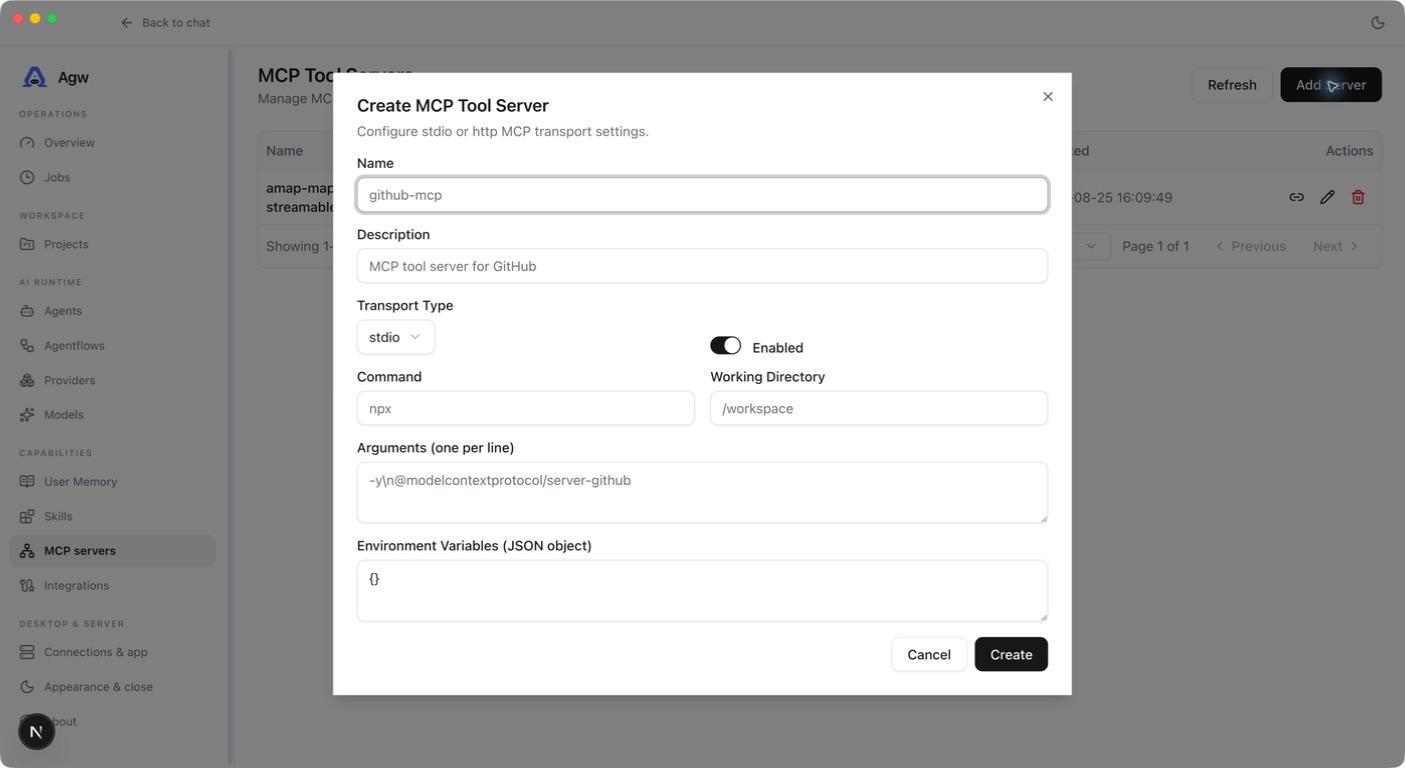
Choose a transport
| Transport | How it connects | What to check |
|---|---|---|
| stdio | AGW starts a process and communicates through its input and output | The executable, arguments, and working directory exist on the execution host |
| http | AGW connects to an already running tool service. Choose http for SSE services too; AGW detects the HTTP transport the service uses | The URL and authentication are correct and reachable from the execution host |
A stdio command may work in your personal terminal but be unavailable to a Server running under another account or in a container. Check commands and environment variables in that environment. Test remote URLs from the execution host as well.
Relationship to Integrations
MCP is a tool protocol. An Integration provides catalog definitions, user configuration, credentials, and a Connection lifecycle. Integrations can themselves expose tools through MCP.
Plugin MCP supports stdio, HTTP, and SSE sources. Plugin HTTP/SSE sources that inject credentials must use HTTPS. Credentials are resolved within the invocation scope; keep them out of public URLs and prompts.
Troubleshoot
A server that cannot be reached at run time is skipped with a warning in the Server log, and the turn continues; an invalid or conflicting tool name fails the turn. When a stdio server starts, environment variables supplied by the execution override same-name values in the server configuration.
For missing tools, check bindings, launch commands, executables, network reachability, and credentials. Verify the service in the same execution environment before retrying a new agent turn. External CLI MCP configuration follows that tool’s mechanism and is not AGW Connection injection.