Model providers
Last updated:
Before a custom agent can answer, AGW needs to know which model to use, where to send requests, and how to authenticate. Prepare the API endpoint, model ID, and API key supplied by your model service.
This page covers model configuration in AGW. To use an existing command-line setup, see External agents.
Three configuration objects
A Provider describes the endpoint and authentication. A Model describes a model and its limits. A Model Provider links the two for agent selection. Creating a Model alone does not establish a connection.
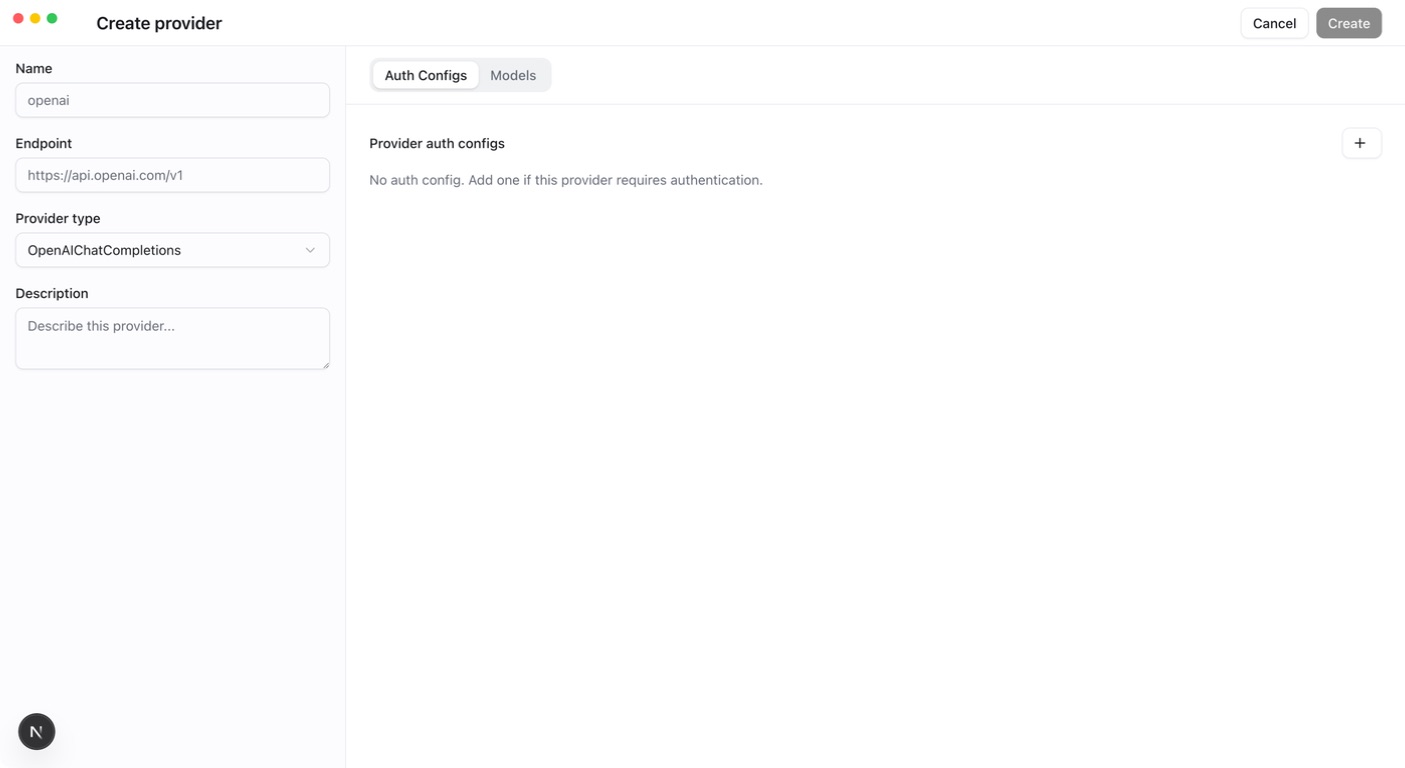
- In Providers, open Create provider, select the matching protocol, enter the endpoint, and add and enable a credential in Auth Configs.
- Switch to the Models tab and select the models this Provider serves. For OpenAI Chat Completions or OpenAI Responses with an enabled ApiKey in Auth Configs, click Fetch Models to load the service’s model list. For an Anthropic Provider, first create the models manually with Create model on the Models page, then return to the Provider and select them.
- Save the Provider. This links each selected model to the Provider as a Model Provider and creates any newly fetched models.
- On the Models page, use Edit model to verify each identifier and set Context window and Maximum output from the limits your service publishes.
- Select that link in an agent and test it with a short question.
Current protocols include OpenAI Chat Completions, OpenAI Responses, and Anthropic. Compatible services must match the actual protocol; “OpenAI” in a name is not sufficient.
Context limits
Each model has length limits. Configure these two values separately:
- Context window: the total content a single request can accommodate, including conversation history, the current question, tool results, and the model’s reply.
- Maximum output tokens: the maximum length of a single reply. Tokens are units used to measure content length; they are not the same as words or characters.
Both values must be positive integers, and maximum output must be smaller than the context window; the form shows their difference as the Effective input budget. Before each model call, a custom agent checks the content it will send against this budget: above 50%, result bodies of older tool calls are removed from the request; above 80%, older message groups are truncated. Both stages keep the 2 most recent message groups, and the conversation history stored in the database is unchanged. External agents manage their own context.
When discovering a model, AGW may fill in 256,000 for the context window and 64,000 for maximum output tokens as defaults. These values do not guarantee that the selected model supports those lengths. Use the limits published by your model service provider. Values that are too high can cause requests to be rejected. If short conversations work but longer ones fail, check these two settings first, then consult the Server logs for the specific error.
Success means an agent completes a conversation. Fix invalid credentials, endpoints, or unavailable models before adding tools. Keep real API keys out of shared prompts and Git files.