Core concepts
Last updated:
In AGW, models provide reasoning, agents organize instructions and capabilities, and Projects provide a workspace. Use Chat to interact with an agent, Agentflows to orchestrate steps, and Jobs to schedule execution.
Models and Model Providers
Model configuration has three layers:
| Concept | What it describes |
|---|---|
| Provider | The model service protocol, endpoint, and authentication |
| Model | The model identifier, context window, maximum output, and other specifications |
| Model Provider | A link between a model and the service providing it, selectable by an agent |
For example, you can link the same model to different Providers, then choose the actual connection for an agent. See Model providers for configuration.
Agent: the role that performs work
An agent defines who performs a task, which instructions to follow, and which capabilities are available.
- Custom agent: configure a model, instructions, tools, and Skills in AGW, which runs the agent.
- External agent: connect a CLI such as Claude Code, Codex, or Pi using an environment installed and configured on the execution node.
An agent definition can serve many tasks; an execution is the process of handling a particular input. For example, “Code explainer” is an agent, while “Explain this function” is an input. See Create a custom agent and Connect external agents.
Project: the workspace
A Project organizes directories, context, and conversations around a piece of work. For example, a code repository can have a Project with separate conversations for code exploration and troubleshooting.
The primary Workspace is the agent’s default working directory. Additional directories provide access to other server-side paths. Switching directories in the file browser does not change the agent’s default working directory.
These paths must be visible to Server or the execution node. See Projects, files, and workspaces.
Chat, conversations, and execution
Chat is the interaction surface. A conversation holds the context and records of an ongoing exchange. An execution is an agent or agentflow processing input.
You can send multiple messages within a conversation. During execution, inspect replies and tool activity, approve actions, or provide requested information. Losing the page connection does not mean execution has stopped; check its actual state after reconnecting. The icon beside each conversation in the list shows Running, Last turn failed, or Last turn interrupted.
See Chat and execution history.
Agent Capability
A capability is something an agent can use to complete a task. The following concepts describe individual operations, tool groups, task instructions, and ways to connect external services.
Tools
A Tool is one callable operation, such as reading a file or querying a job. An agent calls tools as needed and uses their results to continue working on the task.
ToolBlocks
A ToolBlock groups related tools that must be selected and managed together to keep behavior and state consistent. The block is selected as a whole, while the model invokes its individual tools.
For example, todo groups tools for adding, listing, and completing to-do items. Selecting it makes members such as todos_add, todos_get_all, and todos_complete available. These members cannot be selected or removed as standalone tools.
Skills
A Skill provides task-oriented instructions, resources, and optional tools to guide how an agent performs work. For example, agw-job supplies job-management instructions and tools.
Skills come in three kinds: Built-in, Local, and Remote. Built-in Skills are provided by AGW modules, such as agw-job above. You can add Local or Remote Skills: Local uploads a package to AGW Server; Remote reads it from a URL. Choose based on who maintains the content and whether packaged resources are needed. See Tools and Skills for formats and update rules.
MCP
MCP is a protocol for connecting tool servers. After an MCP Server is configured, AGW can discover and invoke its tools, giving agents access to the capabilities it provides. See MCP servers for setup.
Plugins
A Plugin defines an integration’s capabilities and how to connect to its service, including connection methods, authentication, tool sources, and bundled Skills. For example, the GitHub Plugin defines GitHub authentication and tool capabilities.
Integrations
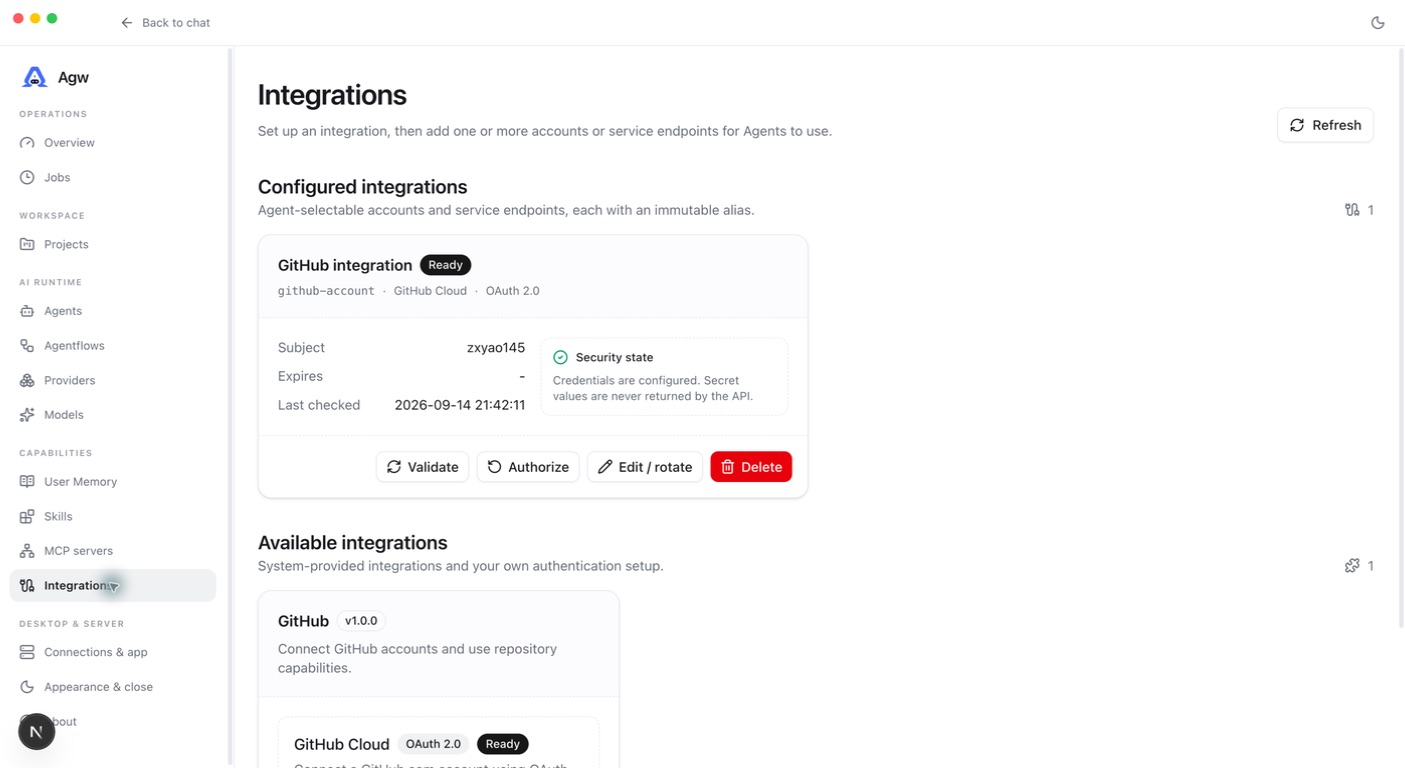
Integrations is where users select and configure external services. It has two parts:
- Available integrations: the catalog of integrations users can select and configure, such as GitHub. It presents the capabilities defined by Plugins.
- Configured integrations: specific accounts or endpoints configured by the user. The same integration can have multiple accounts, such as personal and work GitHub accounts.
Agents select specific configured integrations. Only owner-matched, Ready accounts or endpoints supply capabilities. In code, a configured integration is represented by the Connection type.
See Integrations for setup.
Agentflows and Jobs
An Agentflow determines how steps work together. It can combine agents with branching, parallel execution, and human approval nodes. For example, one agent collects material, another summarizes it, and a person approves the output.
A Job determines when to run. It triggers an agent or agentflow once, at an interval, or on a Cron schedule, recording the outcome of each attempt. A simple scheduled question can target an agent directly; select an agentflow when multiple steps are needed.
They also work independently: run an agentflow manually in Chat, or schedule a single agent with a Job. See Agentflows and Jobs.
Putting the concepts together
For a recurring project progress summary:
- Create a Project and set its working directory.
- Configure a Model Provider and create an agent to summarize progress.
- Bind the tools or configured integrations needed to read the source material.
- Run it once in Chat and confirm the result meets your needs.
- Use an Agentflow for collaboration or approval steps, and a Job for recurring execution.
For your first use, complete a simple conversation before adding more capabilities.